
The Significance of Reliable Connectivity
In an era dominated by technology, having an uninterrupted internet connection is no longer a luxury; it is a necessity. The reliance on the internet for both personal and professional tasks amplifies the need for swift and dependable connectivity. Whether you are binge-watching the latest show on a streaming platform like Netflix, participating in a crucial Zoom meeting, or casually scrolling through your favorite social media apps, sluggish Wi-Fi or mobile data can lead to unnecessary stress and exasperation.
Picture this: You are rushing to download a large presentation file before a pivotal meeting, desperately wishing for a faster connection to avoid delays. Or perhaps you are trying to enjoy a live concert streamed from your favorite artist, yet you can’t escape the dreaded loading icon that continuously disrupts your experience. Additionally, imagine relying on GPS for directions in an unfamiliar city, only to find your navigation stalling due to poor connectivity. These scenarios signify just how vital reliable internet access has become in everyday life.
Understanding Factors That Affect Connectivity
While the importance of a strong connection is clear, many variables can affect your network quality, and it’s essential to understand them. For instance:
- Router Placement: The location of your router can make a significant difference. Placing your router in a central, elevated position can help maximize your coverage. Avoid keeping it in a basement or a corner that may block signals.
- Device Configuration: Your device’s settings play a crucial role. Outdated software or incorrect network settings can hinder performance. Regular updates and configurations can ensure better connectivity.
- Network Congestion: Especially relevant in urban areas, high traffic on local networks can slow down service. Peak hours see many users online simultaneously, which can lead to decreased speeds for everyone connected.
Enhancing Your Connectivity
Optimizing both Wi-Fi and mobile data can lead to a vastly improved user experience. It’s not just about having the fastest service but understanding how to make the most of what you have. Here’s where practical strategies come into play.
- Consider upgrading your router. Newer models often come with advanced technology that supports faster speeds and better coverage.
- Use Wi-Fi extenders or mesh networks to improve coverage in larger homes or areas with many walls.
- Limit the number of connected devices that are actively using data at the same time to reduce system strain.
By implementing these techniques, you can greatly enhance your internet experience, mitigating the stressful moments caused by slow connectivity.
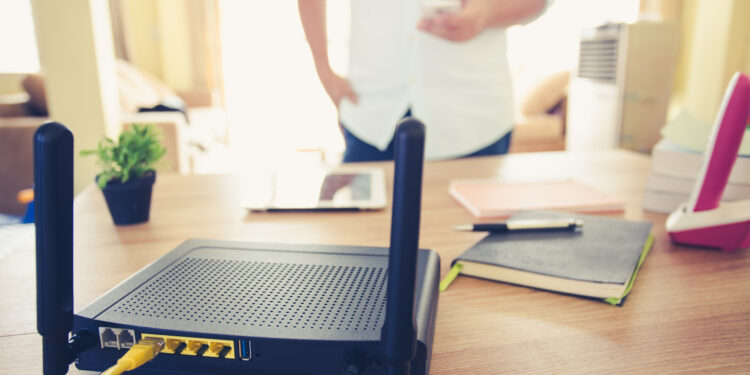
Stay tuned as we explore more methods and tools available to improve your device’s connectivity, ensuring you remain seamlessly connected when it matters most!
IMPORTANT: Click here for essential security tips
Enhancing Wi-Fi Performance
Wi-Fi has become the backbone of internet connectivity, but many users fail to realize that they can significantly enhance their connection by making simple adjustments. Understanding how to improve your Wi-Fi can transform your online experience, particularly in homes where multiple devices are utilized for streaming, gaming, and working from home.
Router Technology: Investing in a higher-quality router can pay off. Advanced routers equipped with Wi-Fi 6 technology not only provide faster speeds but also manage multiple connections more efficiently. This is especially beneficial for households with numerous devices vying for bandwidth.
Network Security: Keeping your network secure is another critical component of connectivity. By ensuring your Wi-Fi is password-protected, you prevent unauthorized users from accessing your network, which can slow down your connection. Regularly changing your password enhances security while maintaining your internet speed.
Essential Tips to Optimize Your Wi-Fi
Here are some practical tips to optimize your Wi-Fi connections:
- Adjust Frequency Bands: Most modern routers come with dual-band functionality, allowing users to switch between 2.4 GHz and 5 GHz frequencies. The 2.4 GHz band offers wider coverage, while the 5 GHz band provides faster speeds. Experimenting with both can help identify which works best for your situation.
- Regular Firmware Updates: Router manufacturers often release firmware updates that enhance performance and security. Access your router’s settings to check for any updates that could improve your connectivity.
- Reduce Interference: Objects like walls, appliances, and furniture can obstruct signals. Additionally, electronic devices such as microwaves can interfere with Wi-Fi signals. Positioning your router away from such devices can lead to better performance.
While enhancing your Wi-Fi experience is essential, optimizing mobile data is equally important for those who frequently find themselves away from home. Having reliable mobile data connection allows seamless access to important applications and navigation tools on the go.
Maximizing Mobile Data Efficiency
Mobile data is crucial, especially when you’re traveling or in areas with weak Wi-Fi. To make the most of your mobile data plan, consider these strategies:
- Monitor Data Usage: Most smartphones come with built-in features to track data consumption. Be proactive by keeping an eye on which apps are using the most data, and adjust your usage accordingly.
- Use Wi-Fi Assist: Features like Wi-Fi Assist on iPhones or Smart Network Switch on Android devices automatically switch to mobile data when Wi-Fi is weak. This ensures a stable connection, though be cautious, as it can lead to increased data usage.
- Disable Background Data: Prevent apps from using data when they’re not actively in use. This can help conserve your data allowance significantly, ensuring you stay connected when it matters most.
By implementing these Wi-Fi and mobile data optimization strategies, you can ensure a more seamless connectivity experience, allowing you to work, play, and stay connected without disruption. Stay tuned for more insights on how to further enhance your connectivity for both home and on-the-go use!
| Optimization Method | Advantages |
|---|---|
| Router Placement | Improves range and reduces dead zones in Wi-Fi coverage. |
| Update Firmware | Enhances performance and security for stable mobile data connection. |
| Use Quality Service (QoS) | Prioritizes bandwidth for streaming and gaming, leading to smoother experiences. |
| Limit Background Apps | Conserves mobile data and reduces network strain for optimal connectivity. |
One effective way to boost your Wi-Fi connectivity is by considering the placement of your router. Positioning it in a centralized location can significantly enhance the signal strength, minimizing dead spots around your home or office. It’s also crucial to update your router’s firmware regularly; this simple step can lead to improved security and performance, ensuring that you benefit from the latest enhancements provided by the manufacturer.If you frequently stream videos or play online games, you might want to consider implementing Quality of Service (QoS) settings. This allows you to prioritize your bandwidth usage, providing a lag-free experience during high-demand activities. Additionally, limiting background applications on your devices can help conserve mobile data while ensuring that your essential tasks run smoothly.By employing these strategies, you can optimize both your Wi-Fi and mobile data connectivity, leading to a more reliable and enjoyable online experience.
LEARN MORE: Click here to stay safe while shopping online
Fine-Tuning Your Device Settings
In addition to enhancing your Wi-Fi and mobile data setup, understanding and adjusting settings on your device can yield significant improvements in connectivity. Many users overlook their device’s built-in capabilities that can optimize internet speed and performance. Here are some essential adjustments to consider:
Optimize Device Connectivity Settings
- Disable Unused Connections: Most smartphones and tablets have numerous connectivity features, such as Bluetooth, NFC, and location services. Disabling these features when not in use can free up resources, resulting in a more stable internet connection. The more limited the number of active connections, the less interference your mobile connection may experience.
- Adjust Data Saver Options: Both Android and iOS devices come equipped with data saver modes. Enabling this feature can help to reduce the amount of data used by restricting background processes and optimizing the performance of foreground apps. This is especially critical for users with limited data plans.
- Limit Background App Refresh: Many applications continue to run background processes that may consume both data and battery life. Adjusting your settings to limit or completely turn off background app refresh can significantly enhance your internet performance.
Network Settings to Adjust for Optimal Performance
Beyond device settings, your network settings can make a noteworthy difference. Both Wi-Fi and mobile data connections can be fine-tuned for greater efficiency:
- Reset Network Settings: Occasionally resetting your network settings can clear out any configuration issues that have developed over time. While this option will erase saved Wi-Fi passwords and VPN configurations, it can resolve connectivity problems that have become persistent, ultimately enhancing your device’s performance in connecting to the internet.
- Choose the Right APN Settings: For mobile data users, ensuring that your Access Point Names (APN) settings are correctly configured is vital. Incorrect APN settings can lead to slow data speeds or entirely hinder connectivity. Check with your carrier for the correct APN configurations for your specific data plan.
- Limit Automatic App Updates: Automatic updates can consume significant amounts of data, particularly if you have multiple apps that demand frequent updates. Setting apps to update manually when connected to Wi-Fi can save you data from being used unexpectedly during essential tasks.
Understanding Your Internet Plan
Lastly, having knowledge of your internet service plan can dramatically influence your approach to connectivity. Different plans offer varying speeds and data limits. If you’re consistently struggling with slow connections, it might be time to review your broadband plan or mobile data contract to find a better option that suits your usage habits.
Many internet service providers (ISPs) offer plans with low data caps or throttling policies that can hinder performance during peak hours. Understanding these terms can help users select a plan that not only meets but exceeds their connectivity needs.
By taking the time to optimize your device settings and understand your internet plan, you can achieve a remarkable enhancement in both Wi-Fi and mobile data performance, enabling a more reliable online experience whether at home or on the go.
DISCOVER MORE: Click here for essential tips
Conclusion
In an increasingly connected world, having a robust and reliable internet connection is essential for both productivity and entertainment. By following the various tips to optimize Wi-Fi and mobile data on your device, users can experience a noticeable enhancement in their connectivity. From fine-tuning device settings such as disabling unused connections and limiting background data usage, to adjusting network settings and understanding your internet plan, a proactive approach is key.
Moreover, being aware of your specific internet requirements can lead to better choices when selecting service plans. Providers in the United States offer a range of options, from unlimited data to high-speed fiber connections, which can cater to different needs based on your usage patterns. It is critical to regularly evaluate if your existing plan meets your demands, particularly if you find yourself frequently encountering slow speeds or connection issues.
Finally, whether at home or on the move, taking these steps empowers users to optimize their connectivity, ensuring a smooth and enjoyable online experience. As technology continues to evolve, remaining informed and adaptable will be crucial in harnessing the full potential of your devices. Continued exploration and proactive adjustments will not only improve connectivity but also enhance your overall quality of life in this digital age.
Related posts:
Optimizing the Battery: Tips to Extend Your Device's Lifespan
Maximizing Battery Lifespan: Optimization Tips for Mobile Devices
Storage Optimization on Devices: How to Free Up Space and Improve Speed
Improving Your Device Security: Optimization and Protection Tips
Smart Updates: The Importance of Keeping Your Device Always Updated for Better Functionality
Increasing Performance: How to Clean and Manage Storage on Mobile Devices

Beatriz Johnson is a seasoned tech writer and digital tools expert with a passion for simplifying the complexities of technology and mobile applications. With over a decade of experience in the tech industry, she specializes in topics like productivity apps, software reviews, and emerging digital trends. Through her work, Beatriz empowers readers to make informed technology choices and stay ahead in the ever-changing world of apps and innovation.