
The Importance of Smartphone Battery Management
The exponential growth in smartphone usage has brought along the challenge of managing battery life efficiently. In a landscape where we rely on our smartphones for work, social interactions, and daily essentials, a dying battery is not just a nuisance but often a source of stress. Picture this: you’re navigating through a new city, your battery teeters on the edge of depletion, and the quest for the nearest charging station becomes an urgent mission. However, with some proactive strategies, you can ensure that your device lasts throughout the day, allowing you to focus on what truly matters.
Practical Tips to Extend Battery Life
- Reduce Screen Brightness: The display is one of the largest consumers of battery life. Adjusting your screen brightness to a lower level or enabling the auto-brightness feature can significantly enhance battery longevity. You might not need full brightness when indoors or in dim light, so consider reducing it to save precious energy.
- Manage App Notifications: Notifications can drain your battery by constantly waking the device and engaging connectivity. By curtailing notifications to only the most essential applications—like those related to work, family, or significant social interactions—you can reduce battery consumption while still staying connected.
- Limit Background Activities: Many apps refresh their content in the background, consuming battery life without you even realizing it. Explore your smartphone’s settings to control which apps have permission to run in the background. Disabling background app refresh for non-essential apps can lead to remarkable battery savings.
Additional Strategies for Efficiency
Beyond these primary tips, adopting a few additional strategies can further optimize your smartphone’s battery performance. Consider turning on battery saver mode when you notice your charge dwindling. This mode automatically adjusts settings, limiting non-essential functions and app activity.
Additionally, be mindful of location services. Only allow high-precision location tracking for apps that require it, and switch to battery-saving location services for other applications. This can provide a substantial boost to your device’s battery life.
In a country where smartphones are integral to daily life, understanding and implementing these simple tactics can empower you to navigate your day without the fear of running out of battery. The ability to manage and extend your battery life not only enhances your smartphone experience but also ensures that your device remains an essential tool, ready for whatever the day throws at you. Explore these strategies further, and gain insights into how small changes in usage can lead to significant improvements in battery sustainability.
LEARN MORE: Click here to enhance your online shopping security
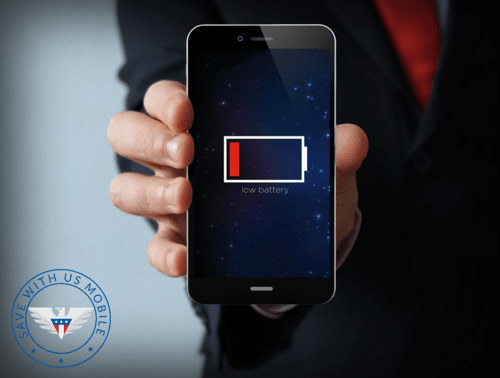
Mastering Energy Conservation on Your Mobile Device
In today’s fast-paced digital age, our smartphones serve as more than just communication devices; they are our lifelines. Managing battery life effectively not only enhances usability but also enriches our overall smartphone experience. As thousands of applications and endless notifications vie for our attention, battery conservation becomes paramount. Adopting smart habits can lead to significant improvements in how long your device remains charged, allowing you to connect with the world without interruption.
Simple Adjustments That Make a Difference
- Turn Off Unused Connectivity Features: Features like Bluetooth, Wi-Fi, and cellular data are constant battery consumers, especially when they are searching for connections. Whenever you are in an area where a connection is not needed, such as when you’re at home or on a subway, switch off these services. This not only extends battery life but also minimizes data usage, providing additional benefits in terms of mobile data costs.
- Close Unused Apps: Multitasking is convenient but can impact your battery life significantly. Allowing multiple apps to run in the background can consume precious battery resources. For example, music streaming apps or GPS navigation can drain your battery even when you’re not actively using them. By fully exiting those that you aren’t currently engaged with, you can conserve battery power while also streamlining your device’s performance.
- Utilize Dark Mode: Many modern smartphones offer a dark mode, which not only helps reduce eye strain but can also conserve battery life, particularly on OLED screens where darker pixels require less energy to display. For instance, switching to dark mode while browsing social media or reading articles can result in noticeable battery savings. So, if you haven’t tried this feature yet, now is the perfect time to discover its dual benefits.
Embrace Smart Charging Habits
How and when you charge your smartphone plays a significant role in battery longevity. Aim to keep your battery between 20% to 80% charged. Research suggests that lithium-ion batteries, which power the majority of smartphones, can maintain optimal health through moderate charging practices. Instead of allowing your phone to completely die, charge it periodically during the day—like when you’re having lunch or taking breaks. This practice not only prolongs daily usage but also extends the overall lifespan of your device.
Furthermore, using the original charger and cable can prevent potential electrical issues that might reduce battery efficiency over time. Third-party chargers may offer lower prices, but they can often provide incorrect voltage or result in overheating, which can be detrimental to battery health. Always check that the accessories you use are certified for your device to ensure optimal performance.
By implementing these strategic adjustments to your charging and usage habits, you’ll ensure that your smartphone remains operational when you need it most, while also promoting the overall health of the battery. These small lifestyle changes empower you to maximize the capabilities of your device, enhancing productivity, and ensuring you’re never disconnected when it matters. Embrace these tips to transform not just your interaction with technology but your daily life, making it easier and more efficient.
Discover the Best Tricks to Maximize Your Smartphone’s Battery Life
In today’s fast-paced world, having a smartphone that lasts through the day is essential. Many users struggle with battery drain and are on the lookout for ways to extend their device’s longevity. Here, we delve into ten tried-and-true tricks that can help you save battery life without sacrificing your smartphone’s usability. Each tip is designed to optimize performance, ensuring your device remains charged when you need it the most.
| Category | Key Features |
|---|---|
| Power Saving Mode | Activating this feature reduces background activity, limits performance, and helps save battery life. |
| Screen Brightness | Lowering brightness or using adaptive brightness not only conserves battery but also reduces eye strain. |
| Background App Refresh | Disabling background app refresh helps prevent multiple apps from draining battery actively when not in use. |
| Location Services | Turning off GPS when it’s not needed prevents unnecessary battery drain. |
By implementing these battery-saving techniques, you can significantly extend your smartphone’s active hours. Each small adjustment contributes to a better overall experience, allowing you to focus on what truly matters – staying connected.
For those looking to delve deeper, consider researching settings and apps specifically designed to fine-tune battery performance. The possibilities are endless, and with the right tools, you’ll never be left powerless.
DISCOVER MORE: Click here to learn how digital minimalism can boost your productivity
Smart Strategies for Keeping Your Battery Alive
As smartphone users, we often take for granted the convenience these devices bring into our lives, but the constant juggling of features and apps can drain our battery life rapidly. Embracing specific behaviors and understanding how certain smartphone functions operate can lead to a remarkable increase in battery longevity. Here are additional actionable tips to help you maximize your smartphone’s battery performance.
Optimize Location Services
The use of GPS and location services is one of the major culprits when it comes to battery drain. Many apps utilize location tracking in order to enhance user experience. To minimize impact, go into your device’s settings and customize location permissions: switch from “Always” to “While Using the App”. This simple action can keep background processes in check, extending battery usage significantly. Additionally, consider turning off location services entirely when not required or utilizing “Airplane Mode” during leisure time.
Manage Push Notifications Wisely
Persistent notifications are not only distracting but can also take a toll on your battery. Push notifications from various apps constantly search for updates, consuming battery in the process. Consider limiting notifications to only essential applications, or changing settings to receive updates every hour instead of in real-time. For social media, email alerts, and news apps, use scheduled updates to drastically enhance your battery life and reduce disturbances.
Decrease Your Screen Brightness
Your smartphone screen consumes a significant portion of battery life, especially if your brightness settings are elevated. Set your screen brightness to automatic adjustment to ensure it adapts based on your surroundings, or manually reduce it to a comfortable level. Many devices offer an adaptive brightness feature that can respond to light changes in your environment, ensuring energy conservation without sacrificing user experience. Another tip is to shorten the screen timeout duration—a quick turn-off of the display when idle translates to efficient power consumption.
Explore Battery Saver Modes
Most modern smartphones come equipped with Battery Saver Modes. This feature can significantly extend battery life by limiting background app activity and visual effects. Activating this mode during critical times, like before a long journey or extended periods without charging, provides a vital safety net. Familiarize yourself with the settings; each manufacturer implements this option differently, but it’s an effective tool in conserving battery power.
Regular Software Updates
Keeping your smartphone’s software updated not only ensures security but also optimizes battery performance. Developers are continuously working to fix bugs and reduce power consumption through updates. Automatic updates can be a double-edged sword, though, as sometimes these updates may inadvertently consume battery life, particularly right after installation. Therefore, monitoring updates regularly and updating during a convenient time can help mitigate battery depletion.
Being proactive in managing these aspects enables an efficient balance between functionality and battery preservation. By implementing a blend of these intelligent practices, you pave the way for a smartphone experience that meets your needs without compromising power. Knowledge is key; understanding how your device operates allows for strategic optimization, keeping you seamlessly connected to the digital world.
DIVE DEEPER: Click here to discover how to choose the right software for your needs
Conclusion: Empowering Your Smartphone Experience
In a world that thrives on constant connectivity and digital interactions, ensuring that your smartphone battery lasts as long as possible is more crucial than ever. By adopting the 10 tricks to save battery on your smartphone, you empower yourself to navigate your daily routine without the anxiety of low battery warnings. From optimizing location services and managing push notifications to adjusting screen brightness and exploring built-in battery saver modes, every small adjustment contributes to a significant improvement in battery performance.
Each feature and function on your device plays a role in overall power consumption. Therefore, understanding how to maximize battery life not only enhances device usability but also prolongs its lifespan, making it a wise investment. Embrace the habit of regularly updating your software and maintaining your device settings, as these simple measures create a buffer against unexpected power drain.
Moreover, as technology continues to evolve, staying informed about innovative applications and updates that focus on battery optimization will be beneficial. Whether you’re a casual user, a business professional, or someone dependent on their device for entertainment, prioritizing battery efficiency can lead to a more enjoyable user experience. So take charge of your battery life today; make these adjustments and reclaim valuable time on your trusted companion. Your smartphone deserves to be used to its fullest potential—and with these strategies, you can make that a reality.
Related posts:
Best Apps to Organize and Optimize Your Mobile Contacts
Best Automation Apps to Simplify Tasks on Your Phone
How to Personalize Your Smartphone with Exclusive Widgets and Themes
Innovative Apps That Transform Your Smartphone into a Productivity Tool
How to Use Accessibility Resources on Your Smartphone to Improve User Experience
Tips to Increase the Security of Your Mobile Device

Beatriz Johnson is a seasoned tech writer and digital tools expert with a passion for simplifying the complexities of technology and mobile applications. With over a decade of experience in the tech industry, she specializes in topics like productivity apps, software reviews, and emerging digital trends. Through her work, Beatriz empowers readers to make informed technology choices and stay ahead in the ever-changing world of apps and innovation.