
Understanding the Importance of Battery Life
In today’s fast-paced digital world, where smartphones are integral to both work and personal life, finding yourself tethered to a charger can be a source of significant frustration. The battery life of your smartphone directly impacts your daily activities—whether you’re conducting an important business meeting over video call on the road, navigating through urban streets with GPS, or catching up on the latest news. A dependable battery ensures that your device can keep up with your fast-paced lifestyle, extending not just convenience, but also peace of mind.
Convenience: Imagine being out and about when an important call comes through, but your phone dies mid-conversation. With longer battery life, you can experience fewer interruptions, which is crucial in both personal and professional contexts.
Productivity: In a world where remote work has become commonplace, having a charged phone is essential. A smartphone with a robust battery allows you to stay connected for work-related communications, participate in conference calls, or access essential documents without the constant worry of losing power.
Longevity: Knowing how to properly manage your smartphone’s battery health can greatly enhance the lifespan of your device. Poor battery management can lead to a decline in overall performance and necessitate earlier replacements.
Simple Strategies for Extending Battery Life
Understanding how to extend your smartphone’s battery life can significantly alter your user experience. Many users have discovered that small, deliberate changes in behavior can lead to significant savings in battery life. Here are a few effective strategies:
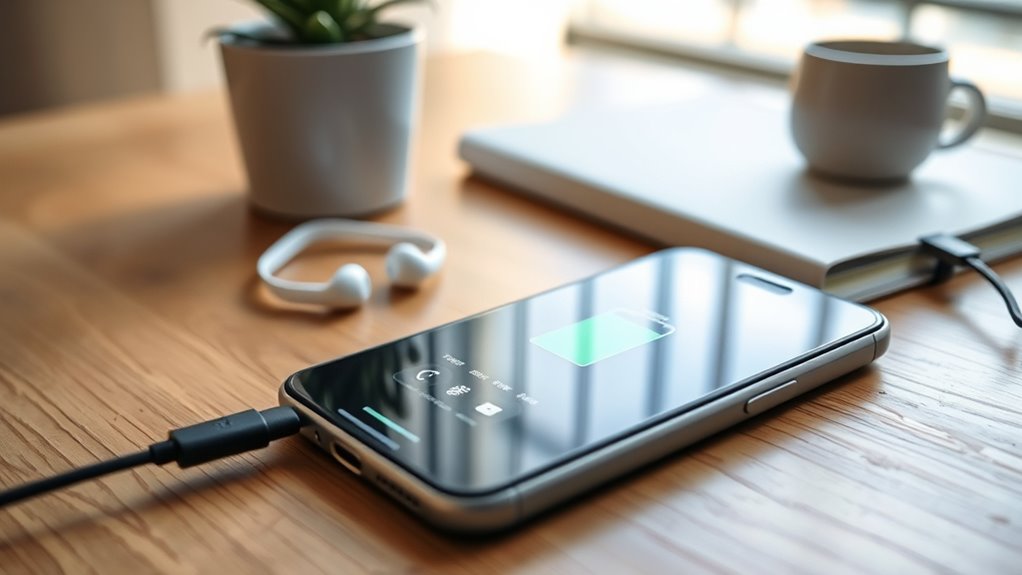
- Screen Brightness: One of the most straightforward methods to conserve power is by adjusting your screen’s brightness. Most smartphones have an auto-brightness feature that adapts the screen based on ambient light, but you may often find that reducing the brightness manually can further extend battery life.
- App Management: Performing a routine check on the applications running on your device can help identify which programs consume substantial power. Apps that continuously run in the background—such as streaming services or social media apps—should be closed when not in use to prevent excessive drainage of battery life. Consider removing or disabling unused apps altogether.
- Location Services: GPS functionality, while incredibly useful, can be a major battery drain. By disabling GPS and location tracking when not in use or switching to “Battery Saving Mode,” you can greatly improve battery efficiency while still retaining access to location-based services when absolutely necessary.
By incorporating these practical tips into your daily smartphone usage, you’ll find that maintaining a charged device throughout the day becomes a manageable task. The goal is to ensure you remain connected when it matters most, enhancing not only your smartphone experience but also your confidence in navigating your daily responsibilities. Consider exploring further options like battery saver modes available on your device for even more innovative ways to maximize performance.
DISCOVER MORE: Click here for insights on implementing feedback systems
Everyday Actions for Sustainable Battery Use
Extending your smartphone’s battery life doesn’t require an engineering degree or a technological overhaul; rather, it involves making conscious choices in your daily smartphone usage. By implementing a few simple tricks, you can make a considerable difference in both battery performance and longevity. Here are some everyday actions that can help you squeeze every last drop of power out of your device:
- Reduce Screen Timeout: One of the often-overlooked aspects of maximizing battery life is adjusting your screen timeout settings. By setting your screen to turn off after a shorter period of inactivity—ideally 30 seconds to 1 minute—you can prevent unnecessary power consumption. This is especially effective for users who frequently forget to lock their phones.
- Wi-Fi vs. Cellular Data: When possible, connect your smartphone to Wi-Fi rather than using cellular data. Wi-Fi uses less power compared to cellular connections, especially when streaming videos or downloading large files. Additionally, consider turning off cellular data when it is not needed; this can significantly reduce battery drain from background processes.
- Turn Off Unused Connectivity Features: Features such as Bluetooth, NFC, and mobile hotspot can quickly deplete your battery. If you’re not using these services, simply turning them off can keep your battery lasting longer throughout the day. Most smartphones allow you to switch these options on and off with a simple swipe in the settings menu or quick access panel.
- Notifications Management: Receiving constant notifications from various apps can not only be distracting but also eat away at your battery life. By limiting notifications for non-essential apps or putting your device in “Do Not Disturb” mode during specific hours, you’ll reduce screen wake-ups that consume power and maintain enhanced concentration.
Integrating these actionable tips into your daily routine is a proactive approach to not only maintaining your smartphone’s battery health but also prolonging its overall lifespan. With smartphones averaging around two years of active use before needing a battery replacement, every effort counts towards maximizing your device’s efficiency. By staying mindful of how and when you use your phone, you empower yourself to navigate your day-to-day activities without the looming anxiety of a dying battery.
Moreover, consider utilizing the built-in battery optimization features offered by most modern smartphones; this functionality can assist in managing apps’ energy consumption effectively. Familiarizing yourself with these options opens up a world of battery-saving possibilities, allowing you to merge technology seamlessly into your lifestyle without interruption.
How to Extend Your Smartphone Battery Life with Simple Tricks
In today’s fast-paced world, a smartphone’s battery life can often be a limiting factor in our daily activities. Fortunately, there are several simple tricks that can significantly enhance your battery performance. Here are some effective strategies:
| Trick | Benefit |
|---|---|
| Lower Screen Brightness | Reduces energy consumption significantly |
| Enable Dark Mode | Saves battery on OLED screens by using less power |
| Turn off Location Services | Extends battery life by preventing constant GPS use |
| Close Unused Apps | Frees up resources and saves battery |
| Use Battery Saver Mode | Limits background activity and system functionality |
Implementing these strategies can propel your smartphone’s battery longevity, allowing you to stay connected longer without the constant worry of searching for an outlet. Each of these tricks is easy to apply and will not only enhance your device’s efficiency but also increase your overall productivity. Interested in diving deeper? In the coming sections, we will explore additional methods and apps that can aid in maintaining an optimal battery life for your smartphone.
LEARN MORE: Click here to ensure your online shopping safety
Smart Settings and App Management for Optimal Performance
While everyday actions lay the groundwork for effective battery management, diving into your smartphone’s settings and managing app behaviors can uncover even more opportunities to optimize your device’s power consumption. By making strategic adjustments and utilizing various built-in features, you can significantly enhance your smartphone’s battery life. Here are some critical settings and app management techniques to consider:
- Adjust Brightness Levels: One of the largest drains on your smartphone battery is the screen’s brightness. By reducing the screen brightness or enabling an automatic adjustment feature, you can save a noticeable amount of power. Many smartphones come equipped with sensors that can detect ambient light, allowing for an optimal brightness setting that doesn’t strain your battery.
- Battery-Saver Mode: Most smartphones are designed with a battery-saving mode that can help extend life during critical moments. Enabling this feature can automatically adjust settings such as brightness, background data usage, and notification alerts when your battery runs low. It’s a useful tool for those situations when you can’t afford to recharge your device immediately.
- Manage Background Apps: Numerous apps run in the background, consuming battery even when you’re not using them. Regularly reviewing and disabling background activity for apps that are not essential can yield substantial battery savings. In Android and iOS, you can typically find these settings under “Battery” or “App Management,” allowing you to customize how much power each app can use in the background.
- Delete Unused Apps: Over time, your smartphone tends to accumulate apps that are rarely used but still consume resources. Conducting a periodic review and uninstalling apps you no longer need can improve device performance and battery life. Consider utilizing app management tools or your phone’s storage section to identify seldom-used applications.
- Update Apps and Operating System: Outdated apps can be less efficient and more prone to energy drain. Ensuring that your applications and operating system are always up-to-date provides vital optimizations and security enhancements while potentially improving battery efficiency. Set your device for automatic updates if you prefer a hands-off approach.
- Temperature Control: The environment plays a critical role in battery performance. Extreme temperatures, especially high heat, can damage a lithium-ion battery and lead to quicker discharges. Keep your smartphone in a moderate environment, avoiding direct sunlight, hot cars, or particularly cold areas to enhance battery longevity.
By delving into your smartphone’s settings and taking charge of app behaviors, you can create a more energy-efficient environment for your device. Small tweaks in brightness, background processes, and connectivity can lead to meaningful savings over time. Each method contributes to a holistic approach to battery maintenance, proving that conscious smartphone management can keep you connected longer without the constant worry of low battery alerts.
Furthermore, it’s important to embrace technology’s transformative capabilities with an informed mindset. Today’s smartphones are equipped with features that enhance battery performance, beyond basic settings adjustment. Investing a little bit of time in understanding and utilizing these functionalities ensures you’re not just extending battery life but also enhancing your overall smartphone experience.
DISCOVER MORE: Click here to learn how to stay safe from malicious apps
Conclusion: Mastering Smartphone Battery Life
In our fast-paced digital world, a quickly depleting smartphone battery can be a frustrating hurdle, but with a few simple tricks and adjustments, you can reclaim valuable uptime. From adjusting screen brightness to utilizing battery-saver modes, each small change can contribute to a noticeable extension of your device’s battery life. Furthermore, actively managing apps—by disabling background processes, deleting unused applications, and keeping software up-to-date—ensures that your smartphone operates efficiently.
Beyond these modifications, it’s essential to consider the impact of environmental factors on your battery’s performance. Maintaining a stable temperature for your device is crucial to prevent unnecessary wear and tear on the battery. By integrating these strategies into your daily routine, you not only enhance battery performance but also optimize your overall smartphone experience.
Ultimately, taking control of your smartphone’s battery management is a way to strike a balance between connectivity and functionality. With these techniques at your disposal, you can reduce battery anxiety and enjoy seamless access to your digital life. Explore further into your device’s features to uncover even more customization options tailored to fit your lifestyle. With commitment and a keen awareness of your phone’s capabilities, the power to extend your smartphone battery life is firmly within your grasp.
Related posts:
Hidden Android Tricks You Probably Don’t Know
Best Apps to Organize and Optimize Your Mobile Contacts
Tips to Increase the Security of Your Mobile Device
Security Tricks to Protect Your Mobile Data
Tips for Organizing Your Apps and Improving Navigation on Your Phone
Automation Tips with Apps to Simplify Daily Tasks

Beatriz Johnson is a seasoned tech writer and digital tools expert with a passion for simplifying the complexities of technology and mobile applications. With over a decade of experience in the tech industry, she specializes in topics like productivity apps, software reviews, and emerging digital trends. Through her work, Beatriz empowers readers to make informed technology choices and stay ahead in the ever-changing world of apps and innovation.