
The Power of Productivity Apps
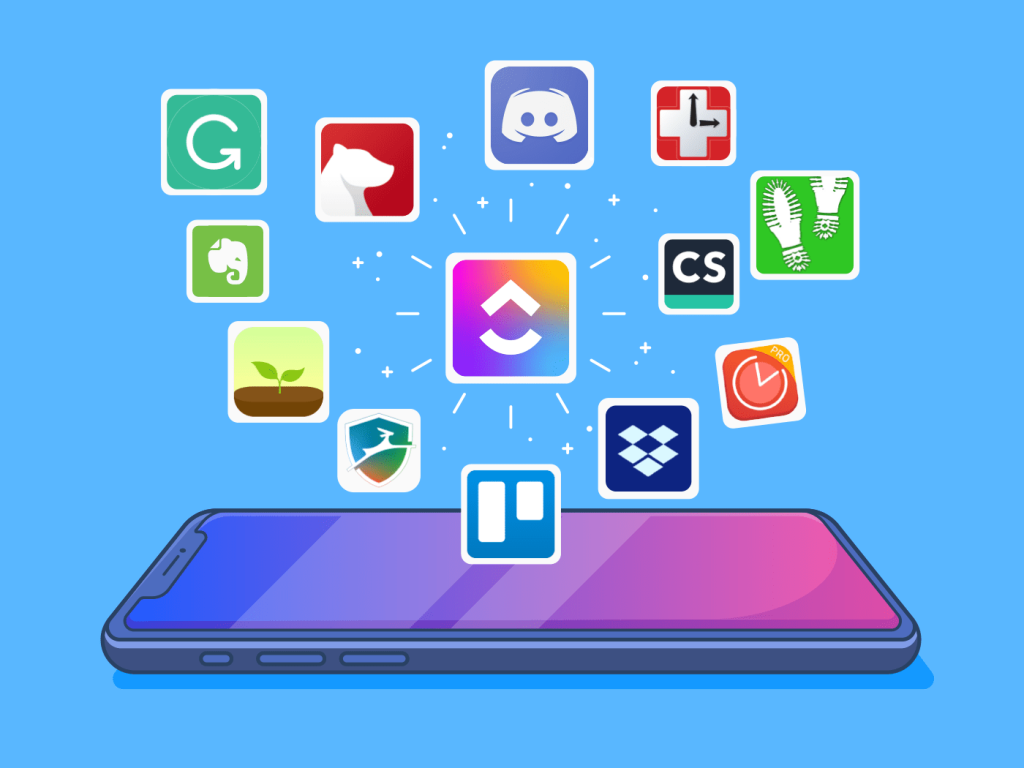
In a rapidly evolving professional landscape, productivity apps have emerged as indispensable tools for individuals striving to enhance their efficiency. Whether you are managing a team project, balancing academic responsibilities, or coordinating personal commitments, these applications streamline your workflow and optimize time management. However, the mere act of downloading an app is often not enough; to truly harness their potential requires strategic planning and thoughtful adjustment.
Strategies to Maximize Productivity App Efficiency
To fully unlock the capabilities of productivity apps, it is beneficial to implement the following strategies:
- Customize features: Adjust notifications and settings to fit your unique working style. For instance, if you find that constant reminders lead to distraction, consider setting fewer alerts but designating specific times of the day for focused work sessions.
- Integrate with other tools: The power of connectivity cannot be overstated. Linking productivity apps such as Trello for project management with communication platforms like Slack can facilitate smoother collaboration. This integration allows team members to share updates in real-time, ensuring everyone is informed and on the same page.
- Set clear goals: Many productivity apps include built-in features that allow users to outline objectives and priorities. For example, apps with calendar functions can help you establish deadlines and track progress, keeping you accountable as you move towards your milestones.
- Utilize templates: Pre-designed templates can be a game-changer, especially for individuals new to project management or planning. Instead of starting from scratch, leverage these resources to organize tasks and appointments efficiently, thereby preventing overwhelm and saving precious time.
Real World Applications
Understanding how to optimize productivity apps can significantly enhance your daily routines. Research has shown that individuals who fully engage with and personalize these tools see an increase in productivity levels by up to 25%. This engagement fosters familiarity, enabling users to navigate features seamlessly and harness their full potential.
As the market proliferates with diverse options—from intuitive task managers like Todoist, known for its simplicity, to comprehensive note-taking platforms such as Notion, which offers a more flexible framework—it’s essential to find the tools that resonate with your personal and professional aspirations. The right fit can lead you to discover previously untapped levels of efficiency and organization.
Exploring different functionalities and remaining open to adapting your usage can be transformative. Read on to uncover further insights and practical tips that will assist you in mastering productivity apps, ultimately propelling you toward achieving your goals with greater ease and success.
DISCOVER MORE: Click here to learn about gamification’s impact
Embracing the Features of Productivity Apps
To actualize the benefits of productivity apps, familiarity with their intricate features is essential. Apps often come packed with functionalities designed to elevate your efficiency, yet harnessing these tools requires a proactive approach. Here are some key ways to make productivity apps work to your advantage:
- Explore Advanced Functionalities: Most productivity apps offer a plethora of features beyond the basic ones. For instance, apps like Asana and ClickUp enable not just task assignments but also detailed progress tracking and workload management. Take the time to explore these advanced features to create a more tailored experience that suits your specific needs.
- Regularly Update Your App: Keeping your productivity apps updated ensures you have the latest features, security patches, and improvements. Developers constantly enhance application performance and usability based on user feedback, and regular updates can equip you with improved tools that enhance workflow efficiency.
- Utilize Collaboration Features: Many productivity apps facilitate collaboration, making them indispensable for teams. Tools such as Microsoft Teams and Google Workspace allow multiple users to assign tasks, leave comments, and make edits in real-time. Engaging with these collaborative features can significantly streamline team efforts, increasing the overall productivity of group projects.
- Leverage Analytics: Some apps offer analytics or reporting features that provide insights into your habits and productivity patterns. By regularly reviewing this data, you can identify peak productivity times, recurring distractions, and areas where adjustments may be necessary, thus leading to more informed decisions on how to optimize your time.
Another pivotal aspect of using productivity apps effectively involves routine evaluation and adjustment. Your initial setup may not remain optimal as your projects evolve or as you discover new ways to streamline your workflow. Regularly reassessing your app’s use can reveal opportunities to refine your usage patterns, allowing for continual improvement in your efficiency.
Furthermore, merging different productivity ecosystems can be incredibly beneficial. For example, combining a project management tool like Basecamp with time-tracking software such as Toggl can help you maintain focus while ensuring accountability in tracking hours worked on specific tasks. The integration of various apps and tools cultivates a holistic approach to productivity, enabling you to manage every aspect of your work life seamlessly.
Ultimately, the journey to optimizing productivity apps is ongoing. As you delve deeper into their capabilities, challenge yourself to identify which methods resonate with you. By investing time in understanding the full spectrum of available features, not only can you enhance your own skills, but you also embrace a more organized and efficient approach to everyday tasks.
Maximizing Your Productivity Through Effective App Utilization
In our fast-paced digital environment, productivity apps can serve as vital tools in enhancing efficiency and managing time effectively. Understanding how to optimize their usage can lead to significant advancements in how we work. Here are some strategies to consider:
| Category | Description |
|---|---|
| Task Management | Utilizing checklists and priority settings to streamline your workload. |
| Collaboration Tools | Leveraging tools like shared documents to enhance teamwork and communication. |
| Time Tracking | Monitoring how your time is spent to identify areas for improvement. |
| Integration | Connecting various apps to create cohesive workflows and eliminate redundancy. |
Each of these strategies emphasizes efficiency and organization, key factors in the quest to improve productivity. By employing a combination of these methods, users can effectively tailor their app usage to suit individual needs, ultimately fostering a more productive working environment.
It is essential to remain updated on the latest features and updates of these apps, as they often introduce enhancements that can substantially optimize your workflow. Moreover, exploring user tips, online communities, and expert recommendations can provide fresh ideas on maximizing your productivity journey. Embrace the power of technology to redefine how you approach your daily tasks!
DISCOVER MORE: Click here to learn how to find the perfect software
Maximizing Productivity Through Effective Integration
While understanding the features of productivity apps is crucial, another layer of optimization comes from integrating these tools into your daily workflow. Proper integration can create a more cohesive work environment and enhance overall efficiency. Here are several strategies to consider:
- Establish Clear Workflows: Define and streamline your workflows by mapping out the steps needed to complete a project or task. Productivity apps like Trello or Monday.com allow for customizable boards or lists that help visualize your workflow. This clarity can minimize confusion and enhance accountability among team members.
- Automate Routine Tasks: Take advantage of automation features to cut down on repetitive tasks that consume time. For instance, tools like Zapier can connect your email, project management software, and calendar, automatically sending reminders or creating tasks from incoming emails. Automating these processes frees you up to focus on higher-priority responsibilities.
- Set Reminders and Breather Breaks: Use apps like Todoist or Any.do to create reminders for tasks as well as scheduled breaks. Research indicates that taking regular breaks can enhance focus and improve productivity. Establishing boundaries with time management can prevent burnout and maintain energy levels throughout the day.
- Customize Notifications: The constant ping of notifications can disrupt focus. Customize your productivity app notifications to only include updates relevant to your most pressing tasks or projects. Most apps allow you to tailor the frequency and type of notifications you receive, helping to create a distraction-free environment conducive to work.
The way you organize information within your productivity app can significantly influence how effective it is in facilitating your work. Implement the following methods to maximize your app experience:
- Use Labels and Tags Effectively: Organizing tasks with labels or tags can help categorize activities and priorities. Most apps, like ClickUp and Evernote, offer robust tagging systems. Establish a coherent tagging strategy to quickly identify tasks related to specific projects or deadlines, enhancing overall visibility.
- Prioritize with Due Dates: Assign due dates to your tasks to create an actionable timeline. Productivity theories like the Eisenhower Matrix emphasize distinguishing between urgent and important tasks. By effectively using due dates, you can better manage your time and effort effectively.
Additionally, consider the impact of real-time communication tools alongside productivity apps. Integrating a messaging platform like Slack with your project management app can enhance team communications, allowing you to keep discussions and updates centralized. Such an approach ensures that critical information remains accessible without needing to toggle between multiple platforms frequently.
The use of productivity templates is another often underutilized method. Many apps offer pre-made templates that cater to various workflows, from launching a marketing campaign to organizing a product launch. Leveraging these templates can save significant setup time and provide structured guidance on best practices, thus improving the effectiveness of project execution.
Lastly, cultivate a habit of reflection and adjustment while using your productivity apps. Weekly or monthly check-ins on your setup and processes can reveal what’s working and what areas require modification. Being adaptable in your approach ensures that your productivity app evolves in parallel with your changing workflow requirements, continuously improving your efficiency.
DISCOVER MORE: Click here for tips on using photography apps
Conclusion: Streamlining Your Productivity Journey
Optimizing the use of productivity apps goes beyond simply downloading and utilizing basic features; it requires a structured approach tailored to your unique workflow. By implementing strategies such as clear workflows, task automation, and effective organization, you can significantly enhance your efficiency and focus. Making the most of your productivity apps involves embracing their full potential—whether through utilizing notifications smartly or integrating communication tools like Slack to centralize updates.
Moreover, reflecting on your app usage through regular assessments can unlock new goals and reveal areas needing adjustment. By creating a habit of evaluation, you invest in continuous improvement and adaptability, making your productivity tools evolve with your changing needs. Remember, the key to maximizing productivity lies in constant learning and adaptation; experimenting with templates and new features can reveal insights that streamline your processes further.
Ultimately, as you seek to cultivate a more productive life, harnessing the power of these digital tools with intention and flexibility will empower you to achieve your goals effectively. Engaging fully with these strategies ensures that you not only make the most of your productivity apps but also create a work environment where you can thrive. So why not dive deeper into the world of productivity optimization and unlock your full potential today?
Related posts:
Comparing open source and proprietary software: which is the best option for your project?
How to integrate different software to maximize efficiency
How to choose the ideal software for your daily needs
How to integrate different software to increase team productivity
Strategies for Training Your Team in the Effective Use of New Software
Exploring Free Software Alternatives for Common Tasks

Beatriz Johnson is a seasoned tech writer and digital tools expert with a passion for simplifying the complexities of technology and mobile applications. With over a decade of experience in the tech industry, she specializes in topics like productivity apps, software reviews, and emerging digital trends. Through her work, Beatriz empowers readers to make informed technology choices and stay ahead in the ever-changing world of apps and innovation.